

Original price was: $47.00.$18.00Current price is: $18.00.
Instant Download: You will receive a download link via your order email immediately
Save up to 85% compared to Salepage prices. In addition, earn additional points. Save more on your next order.
Please contact email: [email protected] if you have any questions about this course.
Unlock Your Potential with the Chris Orwig – Portrait Retouching 201 course only Original price was: $47.00.$18.00Current price is: $18.00. on CoursesGB!
At CoursesGB, we provide over 60,000 downloadable digital courses designed for your personal and professional growth. Get expert-guided, self-paced learning at an unbeatable value – often over 80% off original prices. The Chris Orwig – Portrait Retouching 201 offers practical insights and proven strategies for all skill levels.
Enroll now and elevate your learning with CoursesGB!
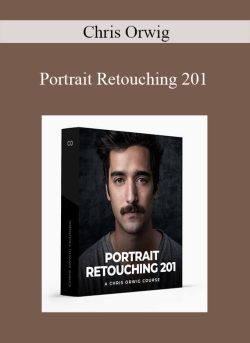
 Chris Orwig – Portrait Retouching 201
Learn how to use Photoshop to create add eye-catching style to your portrait photography.
What you’ll Learn
Learn how to use Photoshop to add, eye-catching style to portrait photography. Follow along as I take you step-by-step through a simple portrait project. Beginning with a raw image, we will retouche and clean up the image. Next we will look at how to improve color and tone and create a textured background from scratch. Finally, learn how to improve edge detail and focus, change colors, and create a portrait you love.
Lessons
9
Length
51 Minutes
Level
Beginner
Software
Photoshop
Curriculum
Welcome and Overview
Listen along as Chris provides the vision and overview of the project ahead. Get the Source Files for this project using the download link above.
Getting Started
Getting started by importing the portrait and textures into Photoshop.
Retouching Details
Learn how to professionally retouching away distracting details.
Improving the Neck
Discover how to improve the light and the wrinkles on the neck.
Fixing Shadows
Learn an advanced Curves and Masking techniques for fixing unwanted shadows
AddingTexture to the Background
Make the studio background come to life by adding a texture.
Improving Edge Details and Focus
Discover how to improve edge details and the overall sharpness of the frame.
Changing Color
Learn how to customize and fine-tune the color in order to craft the look.
Finals Steps with a Plugin
Sometimes using Photoshop isn’t enough. With this image, let’s look at how to use a 3rd party plugin to take the look even further.
Sneak Peak
Portrait Retouching 201
$47
Learn how to use Photoshop to create add eye-catching style to your portrait photography.
Proof Content

Sale Page: https://www.chrisorwigtraining.com/portrait-retouching-201
Archive: https://archive.is/fPndv
Be the first to review “Chris Orwig – Portrait Retouching 201” Cancel reply
Unlock Lifetime Learning and Career Growth with the Chris Orwig – Portrait Retouching 201 course only Original price was: $47.00.$18.00Current price is: $18.00. at CoursesGB!
Invest in your future with the Chris Orwig – Portrait Retouching 201 course at CoursesGB and gain immediate, lifetime access to expertly crafted digital content designed to boost your career and personal development. As a leading platform for downloadable courses, we offer unparalleled value and convenience.
Why Choose CoursesGB?
- Lifetime Access: Enjoy unlimited access to your purchased courses, forever.
- Massive Savings: Get top-tier courses at prices up to 80% lower than original sales pages.
- Secure Payments: Shop with confidence using our secure payment methods (PayPal, Stripe).
- Practical Knowledge: Empower your career with actionable, real-world skills from over 60,000 diverse courses.
- Instant Access: Start learning immediately after purchase via your account dashboard or email for most courses.
- Learn Anywhere: Access your courses seamlessly on any device (desktop, mobile, tablet).
Start your learning journey today and discover the CoursesGB advantage!
Related products

Internet Marketing

Internet Marketing

Internet Marketing

Internet Marketing

Reviews
There are no reviews yet.