


Original price was: $99.00.$31.00Current price is: $31.00.
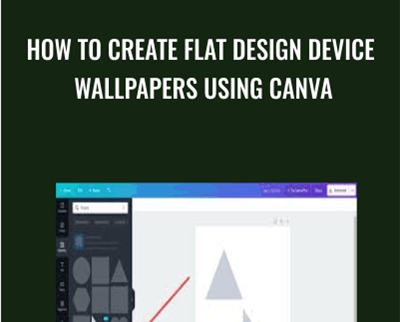
Discover how to create flat design device wallpapers in Canva. Creating your own device wallpaper or background can be a fun way to customize your computer, laptop, tablet, & etc. This course is designed to assist you in learning the basics of flat design in Canva by creating device wallpapers. You will be learning how to create three basic but interesting variations of flat design device wallpaper. This Is A Basic Graphic Design For Beginners Using Free Software Course. Throughout this course you'll learn to:
Unlock Your Potential with the How To Create Flat Design Device Wallpapers Using Canva – Phillip Dillow course only Original price was: $99.00.$31.00Current price is: $31.00. on CoursesGB!
At CoursesGB, we provide over 60,000 downloadable digital courses designed for your personal and professional growth. Get expert-guided, self-paced learning at an unbeatable value – often over 80% off original prices. The How To Create Flat Design Device Wallpapers Using Canva – Phillip Dillow offers practical insights and proven strategies for all skill levels.
Enroll now and elevate your learning with CoursesGB!
Discover how to create flat design device wallpapers in Canva. Creating your own device wallpaper or background can be a fun way to customize your computer, laptop, tablet, & etc. This course is designed to assist you in learning the basics of flat design in Canva by creating device wallpapers. You will be learning how to create three basic but interesting variations of flat design device wallpaper. This Is A Basic Graphic Design For Beginners Using Free Software Course. Throughout this course you’ll learn to:
- Learn the basics of using Canva
- Learn about composition, color design, and layout in flat imagery
- No prior knowledge or experience is required
One of the bad things about working with free software is that you are completely at the whim of the company providing the free software. Canva decided to change the shapes section by moving the adjustable triangles. The adjustable triangles can still be accessed but you have search for them now. The images below will detail how to find the adjustable triangles.
Image 1,2, & 3 shows the new triangles know as “Equilateral Triangle” & “Right-angled Triangle”. These triangles can only be resized not adjusted.


Images 4,5,6,7,& 8 shows how to find the adjustable triangles know in Canva as “Solid Triangles”. Click on the elements section then type into the search bar “solid triangle”. You can see in the images below the adjustable triangles are know as “Solid Triangle” & Solid Right Triangle”. I recommend adding these shapes to you likes section. How to add things to your likes section is show in the images below.


Class Projects
Create a flat design device wallpapers in Canva and what did you find to be the most difficult part of your design? Feel free to make any flat design device wallpapers in Canva you would like. Just do your best to make it look as good as possible. Make a flat design device wallpapers in Canva, then answer the question, and post your illustration to the project.
Get How To Create Flat Design Device Wallpapers Using Canva – Phillip Dillow, Only Price $35
Tag: How To Create Flat Design Device Wallpapers Using Canva – Phillip Dillow Review. How To Create Flat Design Device Wallpapers Using Canva – Phillip Dillow download. How To Create Flat Design Device Wallpapers Using Canva – Phillip Dillow discount.
Unlock Lifetime Learning and Career Growth with the How To Create Flat Design Device Wallpapers Using Canva – Phillip Dillow course only Original price was: $99.00.$31.00Current price is: $31.00. at CoursesGB!
Invest in your future with the How To Create Flat Design Device Wallpapers Using Canva – Phillip Dillow course at CoursesGB and gain immediate, lifetime access to expertly crafted digital content designed to boost your career and personal development. As a leading platform for downloadable courses, we offer unparalleled value and convenience.
Why Choose CoursesGB?
- Lifetime Access: Enjoy unlimited access to your purchased courses, forever.
- Massive Savings: Get top-tier courses at prices up to 80% lower than original sales pages.
- Secure Payments: Shop with confidence using our secure payment methods (PayPal, Stripe).
- Practical Knowledge: Empower your career with actionable, real-world skills from over 60,000 diverse courses.
- Instant Access: Start learning immediately after purchase via your account dashboard or email for most courses.
- Learn Anywhere: Access your courses seamlessly on any device (desktop, mobile, tablet).
Start your learning journey today and discover the CoursesGB advantage!
Only logged in customers who have purchased this product may leave a review.
Related products
Uncategorized
Uncategorized
Uncategorized
Uncategorized
Reviews
There are no reviews yet.